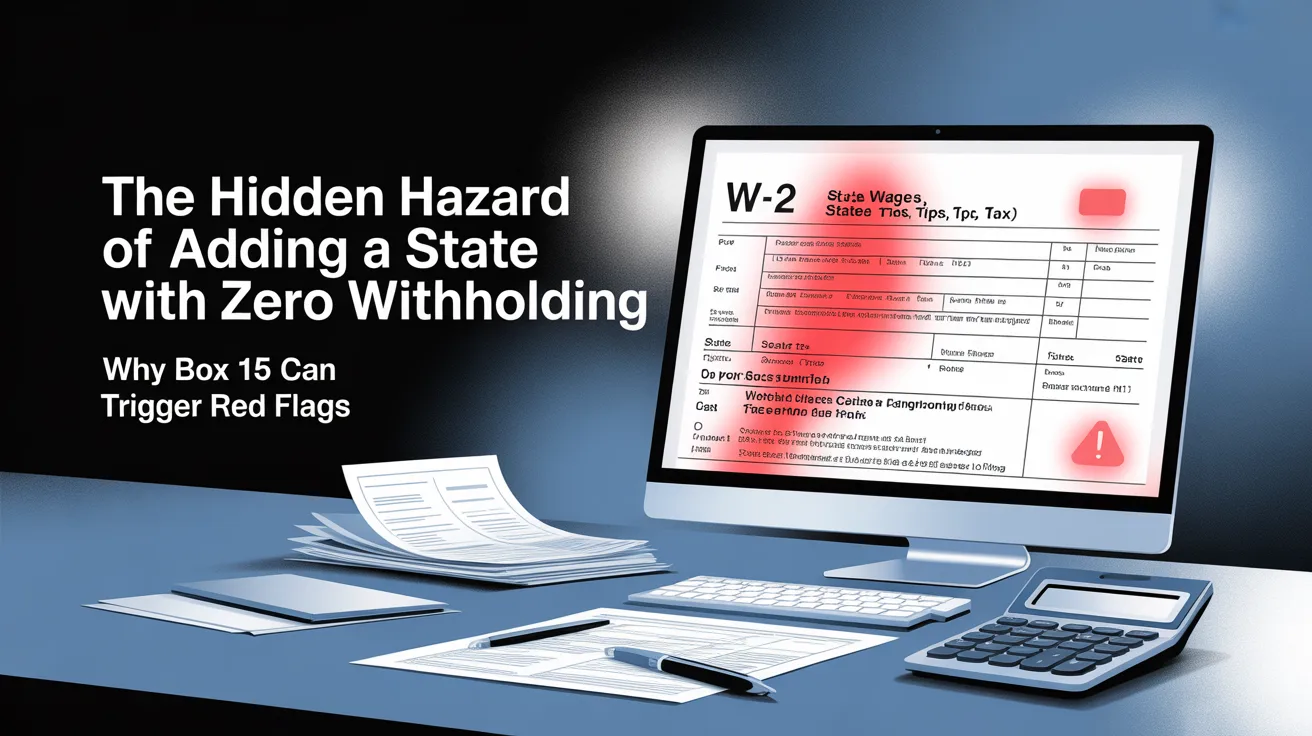
The Hidden Hazard of Adding a State with Zero Withholding: Why Box 15 Can Trigger Red Flags
In the world of modern tax preparation, accuracy is often equated with completeness. Many preparers operate under the assumption that every piece of information reported on a tax document must be entered into tax software to ensure compliance. However, experienced professionals understand that precision is not simply about entering all available data it is about knowing what to enter, what to omit, and why.
One of the most overlooked yet impactful pitfalls in tax preparation involves the handling of Form W-2, specifically Box 15 and Box 17. When a W-2 lists a state in Box 15 but shows $0 in Box 17 (state income tax withholding), it can create a misleading scenario. While this situation is often legitimate, entering that state into tax software without evaluating the context can trigger unnecessary complications, diagnostic warnings, and even raise red flags during processing.
This article explores why this seemingly minor detail can have outsized consequences, how tax software interprets such entries, and what best practices tax preparers should follow to ensure clean, compliant, and efficient filings.
Understanding the Role of Box 15 and Box 17
To fully grasp the issue, it is important to understand what these boxes represent.
- Box 15 (State) identifies the state associated with the wages reported.
- Box 17 (State Income Tax Withheld) shows the amount of state tax withheld from those wages.
At first glance, these boxes appear straightforward. However, their interpretation becomes more nuanced in certain situations particularly when Box 17 shows zero.
This scenario is more common than many realize. It frequently occurs in cases such as:
- Employees working in no-income-tax states (e.g., Texas, Florida, Washington)
- Military personnel, whose pay structures and state tax obligations often differ
- Employees whose income falls below state withholding thresholds
- Situations involving reciprocal agreements or exemptions
In these cases, the presence of a state code in Box 15 does not necessarily imply a filing requirement or tax liability.
Why Zero Withholding Can Be Misleading
From a compliance standpoint, a W-2 showing a state but zero withholding is not inherently problematic. However, the issue arises when tax preparers treat the presence of a state in Box 15 as an automatic signal to include that state in the return.
This assumption can lead to unnecessary and potentially harmful data entry.
Tax software systems are designed to interpret inputs logically. When a preparer enters a state in Box 15, the software assumes that:
- The taxpayer had income sourced to that state
- There may be a filing requirement
- There should be corresponding withholding or tax liability
When Box 17 shows zero, this creates a mismatch. The software detects income associated with a state but no tax withheld and it flags this as a potential inconsistency.
How Tax Software Interprets the Entry
Popular tax preparation platforms such as MilTax and TaxSlayer rely on structured logic and diagnostic systems. These systems are designed to identify discrepancies that could indicate errors.
When a state is entered with no withholding, the software may:
- Generate error messages or diagnostic alerts
- Prompt the preparer to explain or justify the entry
- Require manual overrides to proceed
- Suggest that a state return may be required
Even when the situation is legitimate, the software does not inherently distinguish between a valid scenario and a data entry mistake. It simply sees a pattern that does not align with typical expectations.
As a result, preparers may find themselves spending time resolving issues that could have been avoided entirely.
The Risk of Creating False Audit Signals
Beyond software diagnostics, there is a broader implication to consider: data consistency in electronically filed returns.
Tax authorities both federal and state rely heavily on automated systems to process returns. These systems analyze structured data and identify anomalies that may warrant further review.
When a return includes:
- Income attributed to a state
- No corresponding withholding
- No clear filing requirement
…it can create what may be described as a false audit signal.
It is important to clarify that this does not automatically trigger an audit. However, it can:
- Increase the likelihood of manual review
- Delay processing or acceptance
- Raise questions about the accuracy of the return
In an environment where efficiency and accuracy are critical, even minor inconsistencies can lead to unnecessary complications.
The Special Case of No-Income-Tax States
The issue becomes particularly pronounced in states that do not impose income tax, such as:
- Texas
- Florida
- Washington
- Nevada
- South Dakota
- Wyoming
In these jurisdictions, there is no requirement to withhold or pay state income tax. As a result, Box 17 will naturally show zero.
However, payroll systems often still populate Box 15 with the state code. This is typically due to system defaults or reporting conventions not because a filing obligation exists.
When preparers enter these states into tax software, they inadvertently introduce unnecessary complexity. The software may attempt to:
- Generate state forms that are not required
- Prompt for additional information
- Flag missing data or inconsistencies
In reality, including the state serves no functional purpose. Instead, it complicates the filing process and increases the risk of errors.
Military and Special Employment Scenarios
Another common context for this issue is military employment.
Military pay systems often include a state in Box 15 based on the service member’s home of record or legal residence. However, due to federal protections and unique tax rules, state withholding may not apply.
This results in W-2 forms where:
- A state is listed
- No state tax is withheld
For preparers unfamiliar with these rules, it can be tempting to enter the state and attempt to reconcile the discrepancy. However, doing so can lead to the same issues discussed earlier—diagnostic errors, unnecessary forms, and confusion.
Understanding the underlying tax rules is essential in these situations. The presence of a state code does not override the legal framework governing tax obligations.
The Principle of Intentional Data Entry
At the heart of this issue is a broader principle: intentional data entry.
Effective tax preparation is not about capturing every possible data point. It is about capturing the right data points those that are relevant, necessary, and aligned with filing requirements.
This means asking critical questions before entering information:
- Does this state have a filing requirement for the taxpayer?
- Is there actual tax liability or withholding?
- Will entering this data improve or complicate the return?
If the answer to these questions suggests that the state is not relevant, it is often best to omit it entirely.
Best Practices for Tax Preparers
To avoid the pitfalls associated with zero withholding in Box 17, preparers should adopt the following best practices:
1. Verify Filing Requirements
Do not assume that a state listed in Box 15 requires a return. Always verify the taxpayer’s obligations based on residency, income sourcing, and state laws.
2. Prioritize Substance Over Form
Focus on the actual tax situation, not just the information reported on the W-2. A state code alone does not create a filing requirement.
3. Avoid Unnecessary Entries
If there is no withholding and no filing requirement, consider omitting the state from the return.
4. Understand Software Behavior
Be aware of how your tax software interprets data. Anticipate potential diagnostics and avoid triggering them unnecessarily.
5. Document Your Decisions
In complex cases, maintain internal notes explaining why certain data was excluded. This can be helpful for quality control and future reference.
The Cost of Over-Reporting
One of the most common misconceptions in tax preparation is that more information is always better. In reality, over-reporting can be just as problematic as under-reporting.
Entering unnecessary data can lead to:
- Increased preparation time
- Higher risk of errors
- Confusing outputs for clients
- Additional scrutiny from tax authorities
By contrast, a clean, streamlined return is easier to process, review, and defend.
A Strategic Approach to Clean Filing
Clean filings are not just about compliance they are about efficiency, clarity, and professionalism.
When preparers exercise discipline in their data entry, they:
- Reduce friction within tax software
- Minimize diagnostic issues
- Improve client confidence
- Enhance overall workflow
This strategic approach is particularly important in high-volume environments, where small inefficiencies can quickly add up.
Conclusion: Knowing When Not to Enter Data
The lesson from this issue is both simple and profound: not every piece of information on a W-2 belongs in the tax return.
The presence of a state in Box 15, combined with zero withholding in Box 17, is a prime example of how data can be technically correct but practically misleading.
By understanding how tax software interprets these entries and by focusing on actual filing requirements preparers can avoid unnecessary complications and produce cleaner, more accurate returns.
In today’s tax environment, where automation and data analysis play an increasingly important role, even small inconsistencies can have outsized effects. Knowing when to exclude data is not a shortcut it is a mark of expertise.
Ultimately, effective tax preparation is about more than accuracy. It is about judgment, strategy, and precision. And sometimes, the most important decision a preparer can make is what not to enter.